AI Virtual Staging
for Real Estate Photos
Furnish empty rooms and refine real estate photos with AI. Change the furniture, remove unwanted decor, or return to an earlier version—with follow-up edits included in each image workflow.
3 free credits · No credit card required
10,000+ images staged
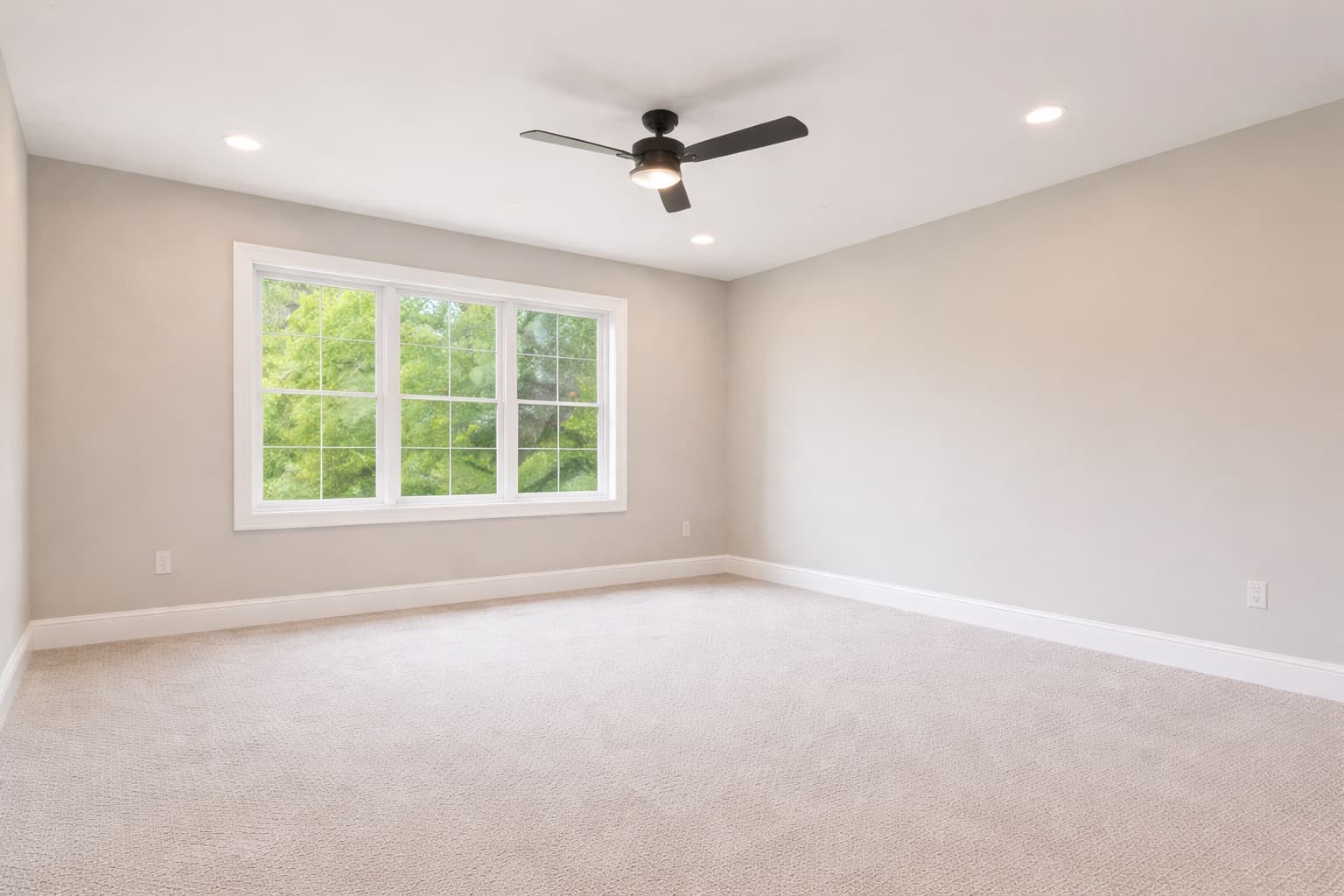
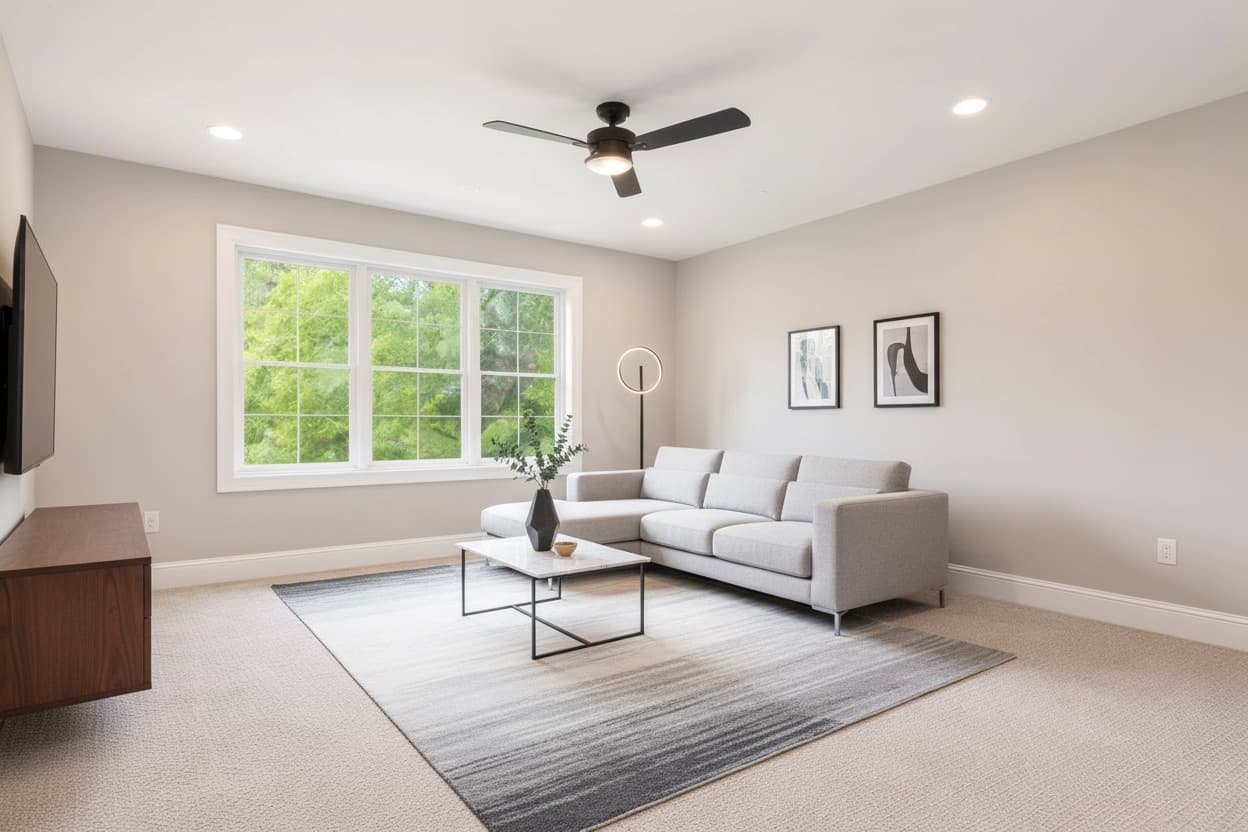
Keep editing until it looks right
Start with one photo, then refine it with custom prompts.
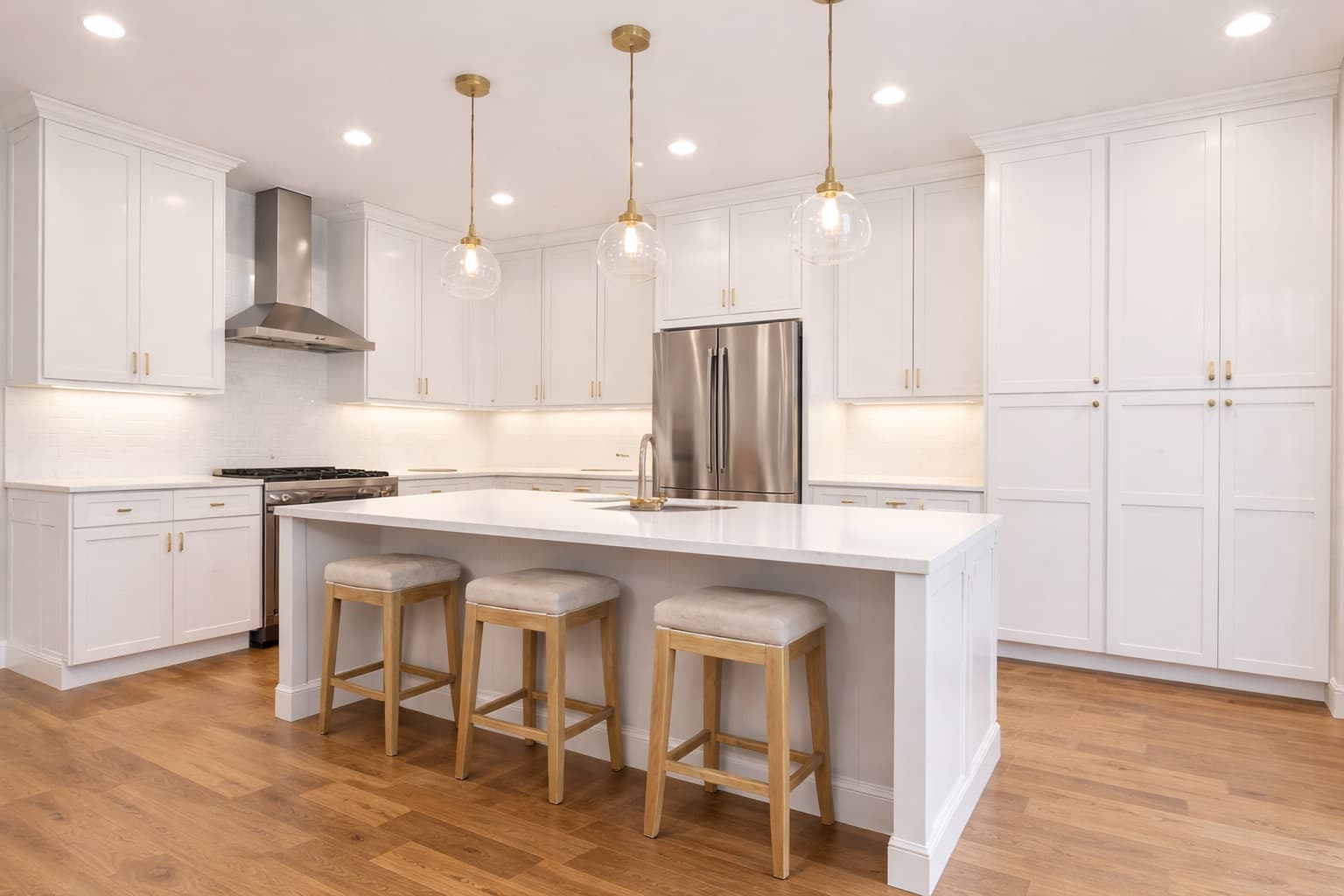
Original photo
Upload a real estate photo.
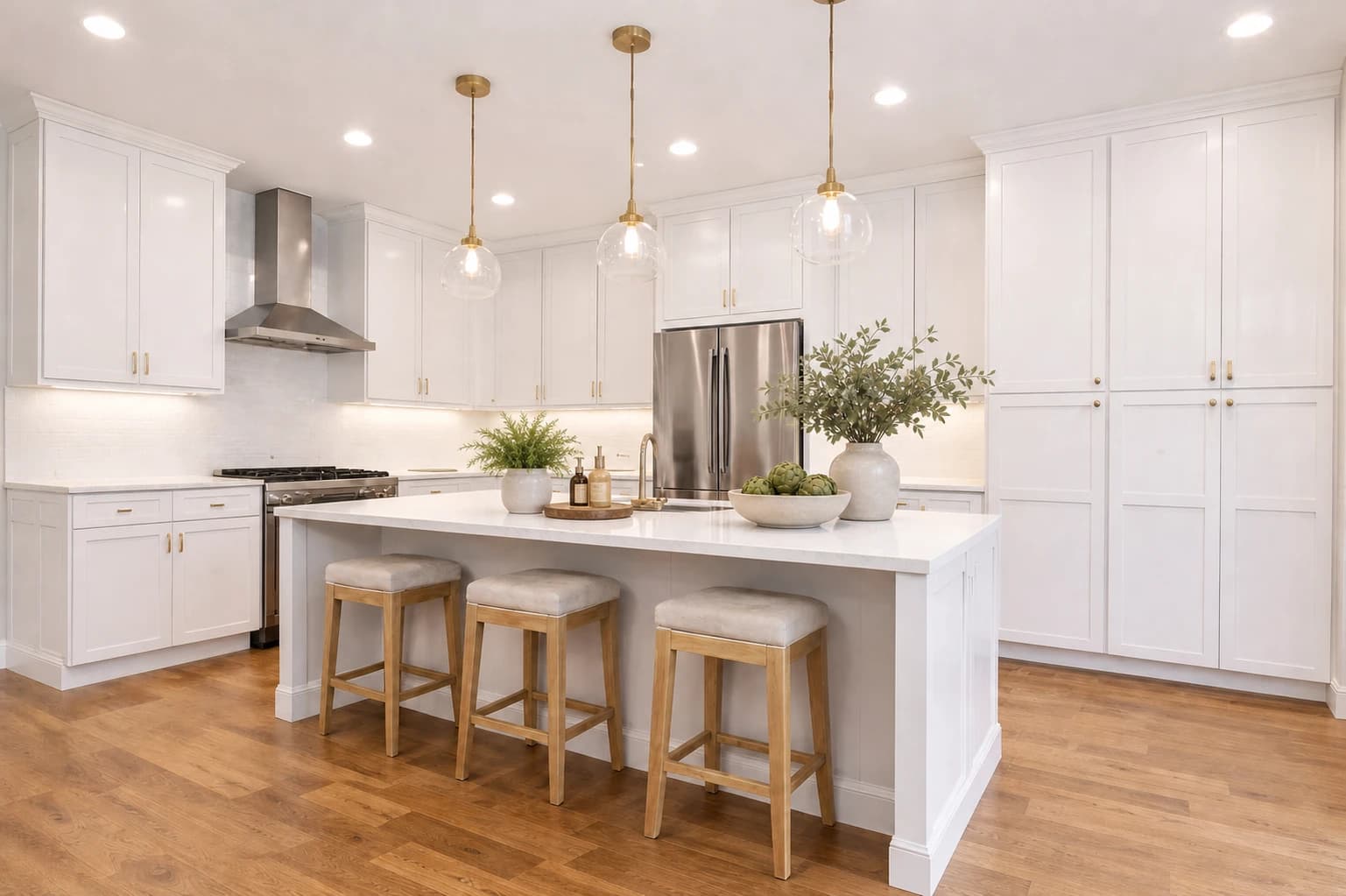
Custom edit
Add countertop decor with greenery, soap bottles, and a bowl of artichokes.
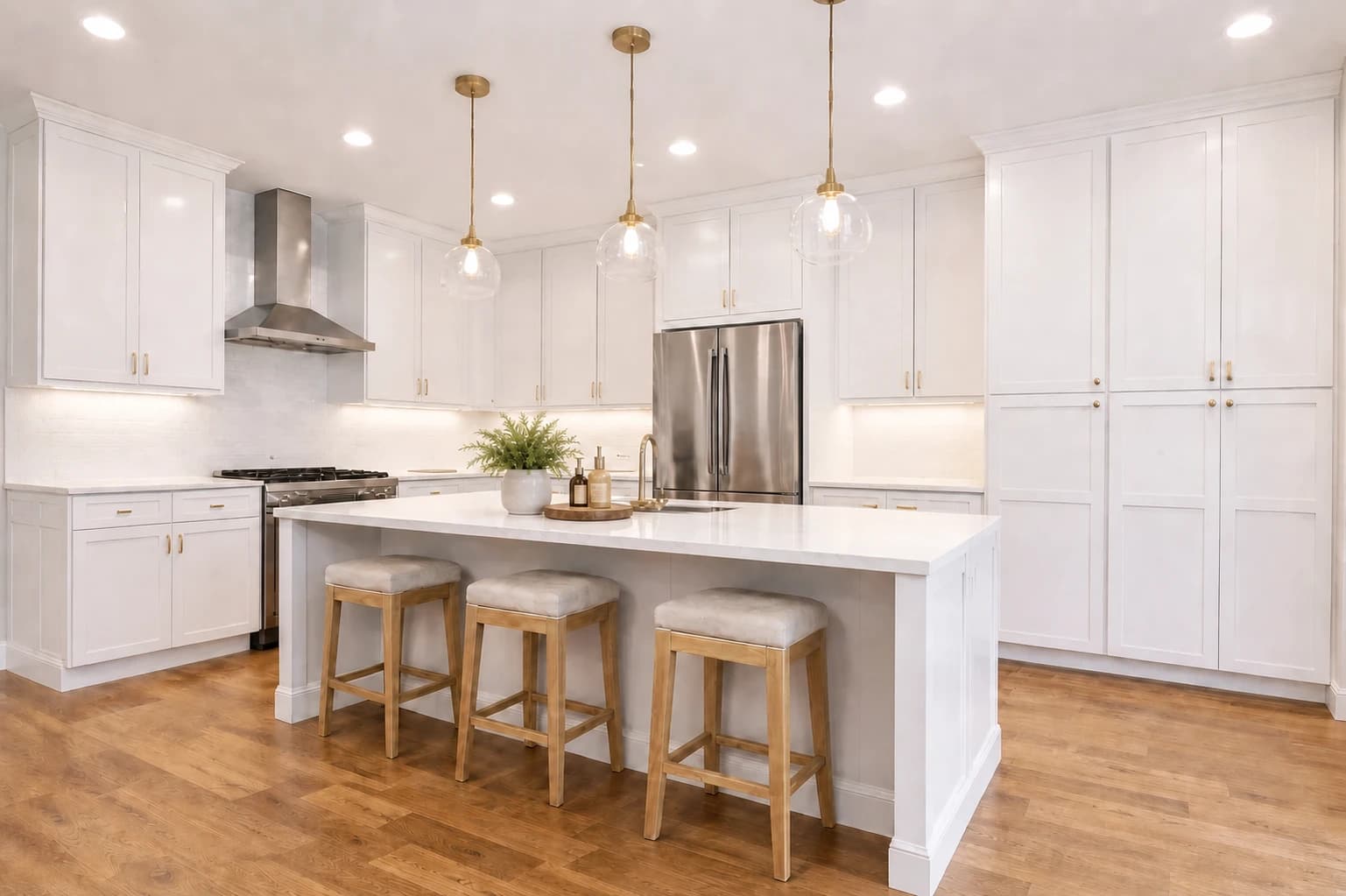
Follow-up edit
Remove the large vase and bowl. Keep the small plant and tray on the island.
Who this is for
Built for real estate teams
Built for real estate visual teams that edit listing photos at volume.
Everything you need to stage like a pro
6 Professional Styles
Modern, Scandinavian, Luxury, Coastal, Farmhouse, or create your own custom look with AI prompts.
Furniture Removal
Clear out existing furniture before restaging. Perfect for dated or cluttered rooms.
Download and Review
Download your result, compare it with the original, and check your listing platform’s image and disclosure rules before publishing.
Any Room Type
Living rooms, bedrooms, kitchens, offices, dining rooms—stage any space.
Try 3 Credits Free
No credit card required. See the quality for yourself before you buy.
Start Free TrialFrom first draft to final details
Keep control of the next edit
Start with a furnishing plan
Choose a preset style or describe the furniture and layout you want.
Change a specific detail
Use Custom Prompt to request a focused change, such as removing a vase or replacing a sofa.
Choose where to continue
Select Original or an earlier version before making your next edit. Follow-up edits in the same image workflow are included.
Review each result against the original photo before publishing.
How it works
Stage a room in 4 steps
Generate once, keep editing until it looks right, then download the final image.
Upload Your Photo
Drag and drop any room photo. We accept JPG, PNG, and WebP up to 10MB.
Pick Style or Custom Prompt
Choose a preset style or describe exactly what you want changed with a custom prompt.
Make an Edit
Ask for follow-up edits like removing decor, changing furniture, or refining the result.
Download & Use
Once you are satisfied, download the final image and use it immediately on any listing platform.
Total time from upload to download
Under 30 seconds
Vacant Listings
Help buyers visualize empty spaces. Staged listings get 40% more showings.
Before Closing
Stage rooms virtually while waiting for the property to be vacated.
Marketing Materials
Create stunning visuals for social media, brochures, and presentations.
Practical resources
Plan a better virtual staging workflow
Learn how to prepare photos, choose the right editing approach, review results, and estimate the cost of a project before publishing.
Virtual Staging Cost Guide
See per-photo prices, one-time credit packs, monthly plans, and what revisions actually cost.
Use the cost calculatorVirtual Furniture Staging
Add furniture to room photos, choose a style, and refine your layout with included follow-up edits.
See furniture promptsBefore-and-After Gallery
Review staged examples and learn what to inspect before publishing an edited image.
Explore the edit examplesAI Furniture Removal
Understand removal-only and remove-and-replace workflows for listing photography.
Read the guide12-Room AI Staging Test
Inspect every result, exact prompts, corrective edits and failures from a recorded synthetic-room test.
See all 12 test resultsHow to Virtually Stage a Room
Follow a practical workflow from photo selection through review, disclosure, and delivery.
Read the guideSimple, transparent pricing
Start with 3 free credits. No credit card required. Upgrade when you need more.
Choose a monthly plan or one-time credits
Base
Perfect for trying out the platform
$1.22 per credit
- 32 credits per month
- Credits reset monthly
- No rollover
- Unlimited edits per image
- All design styles
- PNG & PDF downloads
- Email support
Pro
Best for professionals
$1.09 per credit
- 45 credits per month
- Unused credits roll over for 60 days
- Unlimited edits per image
- All design styles
- PNG & PDF downloads
- Priority support
Business
For agencies and high-volume users
$0.99 per credit
- 150 credits per month
- Unused credits roll over for 60 days
- Unlimited edits per image
- All design styles
- PNG & PDF downloads
- Priority support
- Best value, $0.99 per credit
One-time credits
Pay once. No subscription.
10 Credits
$2.00 per credit
$20
25 Credits
$1.80 per credit
$45
50 Credits
$1.60 per credit
$80
- Credits never expire
- No monthly charges
- Follow-up edits within the same image workflow included
How credits work
Value quality
1 credit per image
Balanced quality
2 credits per image
Pro quality
5 credits per image
Base resets monthly • Pro and Business include limited rollover • Cancel anytime
FAQ
Questions? We've got answers.
Everything you need to know before getting started
Your next listing deserves
better photos
While you're reading this, other agents are already staging their listings with AI. Don't let empty rooms cost you another sale.
Start free today. Upgrade only when you need more. Cancel anytime.